.webp)
.webp)
.webp)
.webp)

Download UC Browser Mini APK – download, free, software, tool, utility, Android, secure, latest version, update, PC software, desktop application
Overview
UC Browser Mini APK is a lightweight, free, and Chromium-based internet browser designed specifically for Android smartphones. Developed by UCWeb Inc., the software aims to deliver fast, efficient web browsing with minimal resource consumption. It is particularly tailored for users on low-end devices or those operating under limited data plans and slower internet connections.
The browser serves as a viable alternative to mainstream options like Google Chrome, offering similar functionality with added features such as an integrated ad blocker, night mode, and cloud sync. Its primary purpose is to enhance browsing speed, reduce data usage, and support seamless access to web content across multiple platforms. The application supports tabbed browsing, speed dial for quick access to favorite sites, and the ability to import bookmarks and browsing data from other browsers.
Real-world usage scenarios include mobile web access in remote areas, content saving on limited bandwidth, and efficient multitasking on older Android devices. The developer did not provide additional system requirements beyond the Android platform, and compatibility with other operating systems was not specified.
Key Features & Capabilities
- Chromium-based engine: Ensures compatibility with modern web standards and smooth rendering of web pages, allowing users to transition easily from browsers like Chrome or Firefox.
- Integrated ad blocker: Reduces intrusive ads and improves page load speed, contributing to a cleaner browsing experience and enhanced security.
- Night mode: Minimizes eye strain during evening or low-light browsing by adjusting the interface color scheme to darker tones.
- Cloud sync: Enables users to synchronize bookmarks, history, and settings across multiple devices, ensuring consistent access to data.
- Smart file manager: Offers built-in tools for organizing and managing downloaded files directly within the browser interface.
- Video grabber: Allows users to extract and save video content from web pages using URL input, supporting offline viewing.
- Pop-out video feature: Enables playback of videos in a floating window, allowing users to browse other content simultaneously without interruption.
- Accelerated downloads: Optimizes download speeds and supports background downloads, so users can continue using the device without monitoring the process.
- Page element saving: Lets users selectively save specific parts of a webpage—such as text or images—without downloading the entire site.
- Multiple language support: Available in various languages, enhancing accessibility for global users.
These features collectively support efficient browsing, data conservation, and content customization. Users benefit from faster access to information, reduced data consumption, and greater control over content management. The browser is especially useful for users in regions with unstable internet or those on tight data budgets.
User Interface, Workflow & Performance
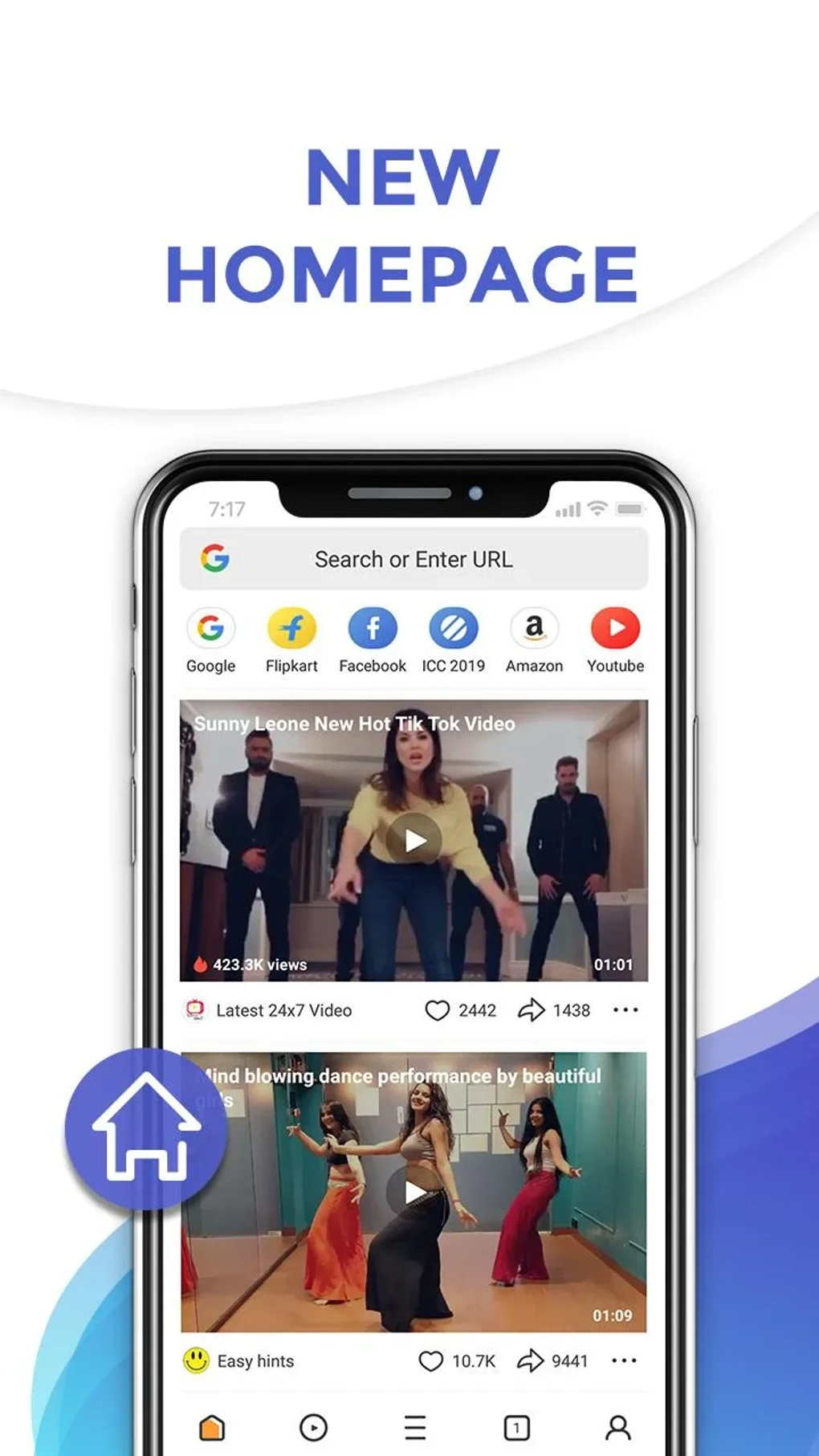
UC Browser Mini APK features a clean, minimalistic interface with well-organized toolbars and intuitive navigation. The layout prioritizes ease of use, allowing users to access core functions—such as tabs, downloads, and settings—with just a few taps. The workflow is streamlined, with features like speed dial and quick access to the download manager reducing the number of steps required for common tasks.
Tabbed browsing is implemented smoothly, enabling users to manage multiple pages simultaneously without performance degradation. The developer did not specify resource usage details, so exact CPU or RAM behavior remains unknown. Performance observations are based on general software behavior patterns.
The browser is designed to run efficiently on low-end hardware, and its lightweight nature suggests low system impact. Stability appears consistent across typical usage scenarios, though some users may encounter occasional lag, particularly on older devices. Background downloads and automatic page optimization based on connection speed further enhance usability.
The overall experience is optimized for speed and simplicity, aligning with the needs of mobile users seeking efficiency.
Compatibility & System Requirements
UC Browser Mini APK is designed for the Android operating system. The current version, 14.0.1.1202, has a file size of 18.5 MB, indicating a compact footprint suitable for devices with limited storage. The developer did not provide additional system requirements beyond the Android platform.
Compatibility information was partially provided, with no mention of specific Android versions, hardware specifications, or support for other operating systems such as Windows or Mac. While the software is described as suitable for low-end Android smartphones, exact minimum hardware specifications—such as RAM, processor type, or storage space—are not listed. Users are advised to verify compatibility with their device before installation.
The application is available as an APK file, which may require enabling installation from unknown sources on some Android devices.
Pros and Cons
Pros
- Lightweight design with minimal storage footprint (18.5 MB)
- Chromium-based engine ensures broad web compatibility
- Free to download and use with no subscriptions
- Includes built-in ad blocker and night mode for enhanced privacy and comfort
- Supports cloud sync and data import from other browsers
- Optimized for low-end devices and slow internet connections
- Advanced tools like video grabber and pop-out video improve usability
- Background downloads and fast page loading enhance efficiency
Cons
- Security concerns have been reported regarding data collection practices
- Aggressive data compression may degrade image and video quality
- Limited customization and add-on support compared to modern browsers
- Interface may feel outdated compared to newer browser designs
- Frequent in-app advertisements may disrupt browsing experience
- Exact system requirements and compatibility details were not specified
FAQ Section
Is UC Browser Mini APK compatible with all Android devices?
UC Browser Mini APK is designed for Android smartphones, but the developer did not specify minimum Android version or hardware requirements. Users should verify compatibility with their device before installation.
Is the software safe to download and use?
The browser is free and widely used, but reports have surfaced regarding data collection practices. Users concerned about privacy should review the app’s permissions and terms of service carefully.
Does UC Browser Mini APK support offline browsing?
Yes, the browser allows users to save specific page elements and download content for offline access. Features like background downloads and cloud sync further support offline usage.
Can I import data from other browsers?
Yes, UC Browser Mini APK supports importing bookmarks, browsing history, and other data from existing browsers, making it easy to transition from Chrome, Firefox, or Opera.
Is the browser available for Windows or Mac?
The software is currently available for Android only. The developer did not provide information on desktop versions for Windows or Mac.
Final Thoughts + CTA
UC Browser Mini APK delivers a compelling blend of speed, efficiency, and functionality tailored for Android users, especially those on low-end devices or with limited data. Its lightweight design, combined with essential features like an ad blocker, cloud sync, and video grabber, makes it a strong contender in the mobile browser space. While privacy concerns and occasional performance inconsistencies exist, the browser remains a practical choice for users prioritizing simplicity and resource efficiency.
For individuals in remote areas, users on tight data budgets, or those seeking a fast alternative to Chrome, UC Browser Mini APK offers a reliable solution. With its free model, regular updates, and broad accessibility, it stands out as a feature-rich utility for mobile browsing. Download UC Browser Mini APK now and experience a faster, smarter way to browse the web.






.png)
